
Sometimes you may have employees change positions or responsibilities within the Credit Union and you will need to change their Role in NPX. For example, they may get a promotion from a Financial Service Rep to a Branch Manager and their role may need to be changed from End-User (Custom) to Team-Lead (Custom).
To change a role in NPX, follow these steps:
- After logging onto NPX, click on Admin
- Click Users
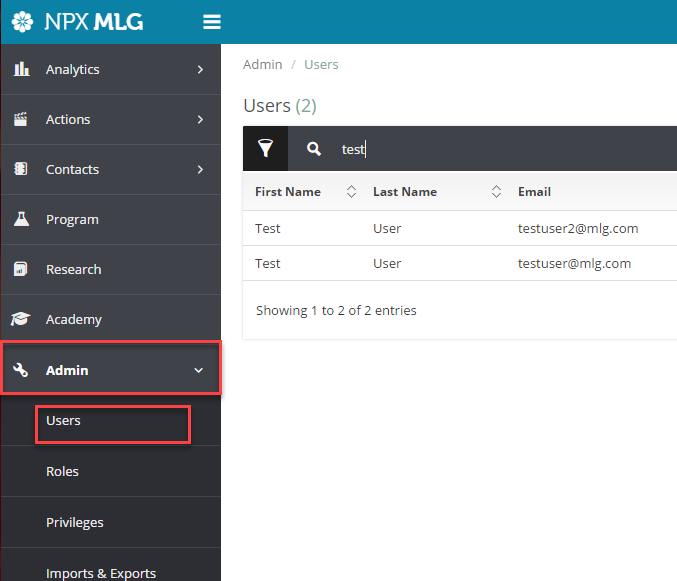
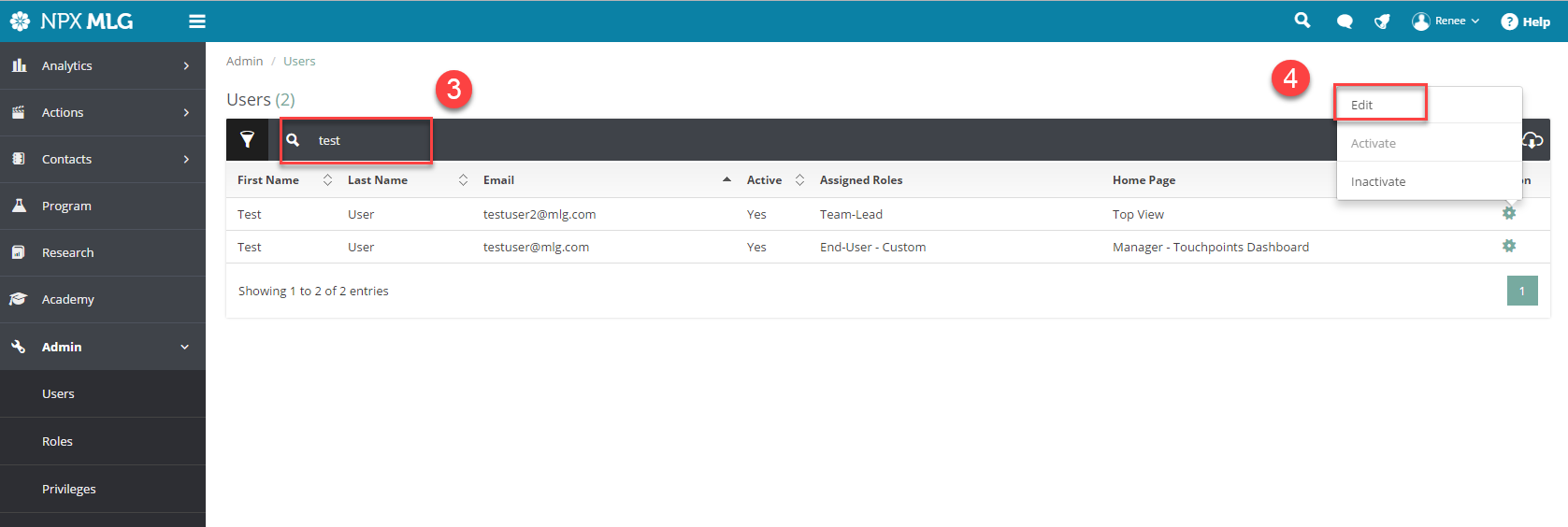
- Search for the user that needs their role changed and
- Click on Edit to the far right side of their name
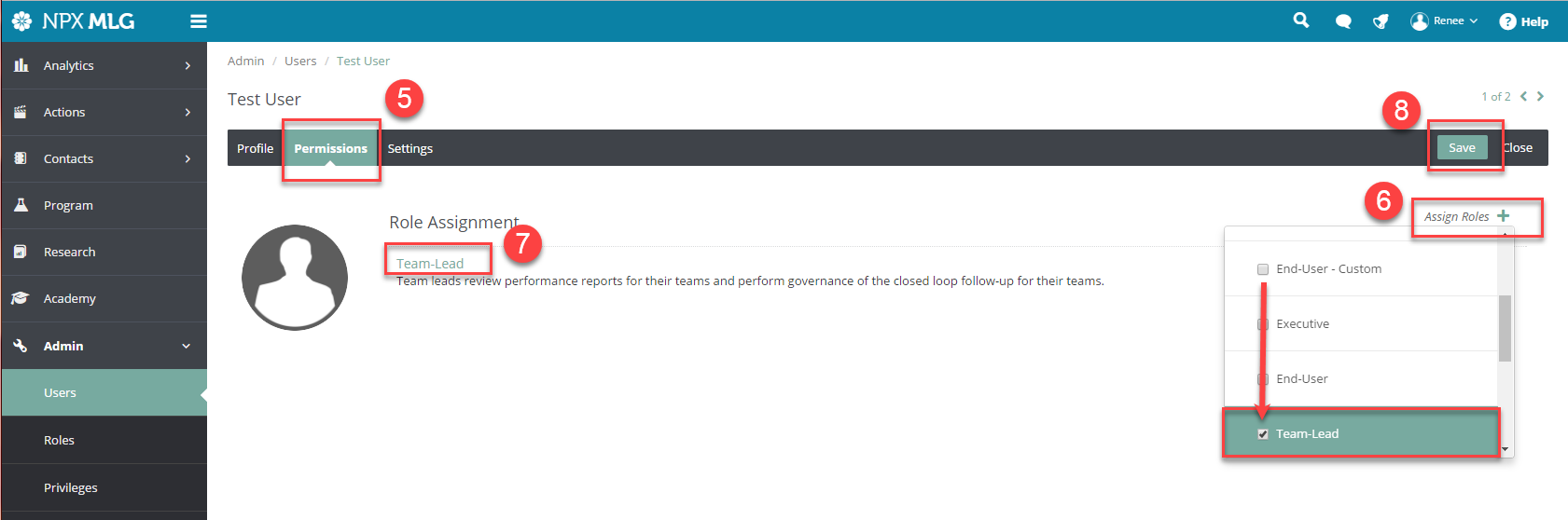
- Once their user profile is up, click on Permissions
- Click on Assign Roles and uncheck the role they are currently and place a check next to the role they need to be changed to
- Check to be sure the correct role is displayed
- Click Save
Comments
0 comments
Please sign in to leave a comment.