
If a user leaves the Credit Union, we must deactivate their access to NPX. You may also choose to deactivate a user if they will no longer use the system but are still employed.
To deactivate a user:
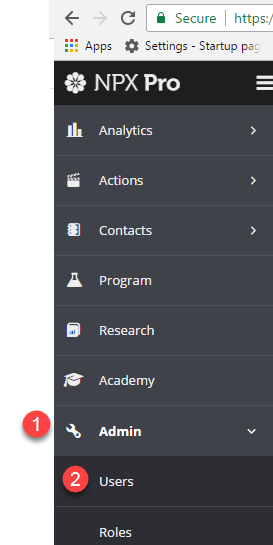
- Click Admin
- Click Users
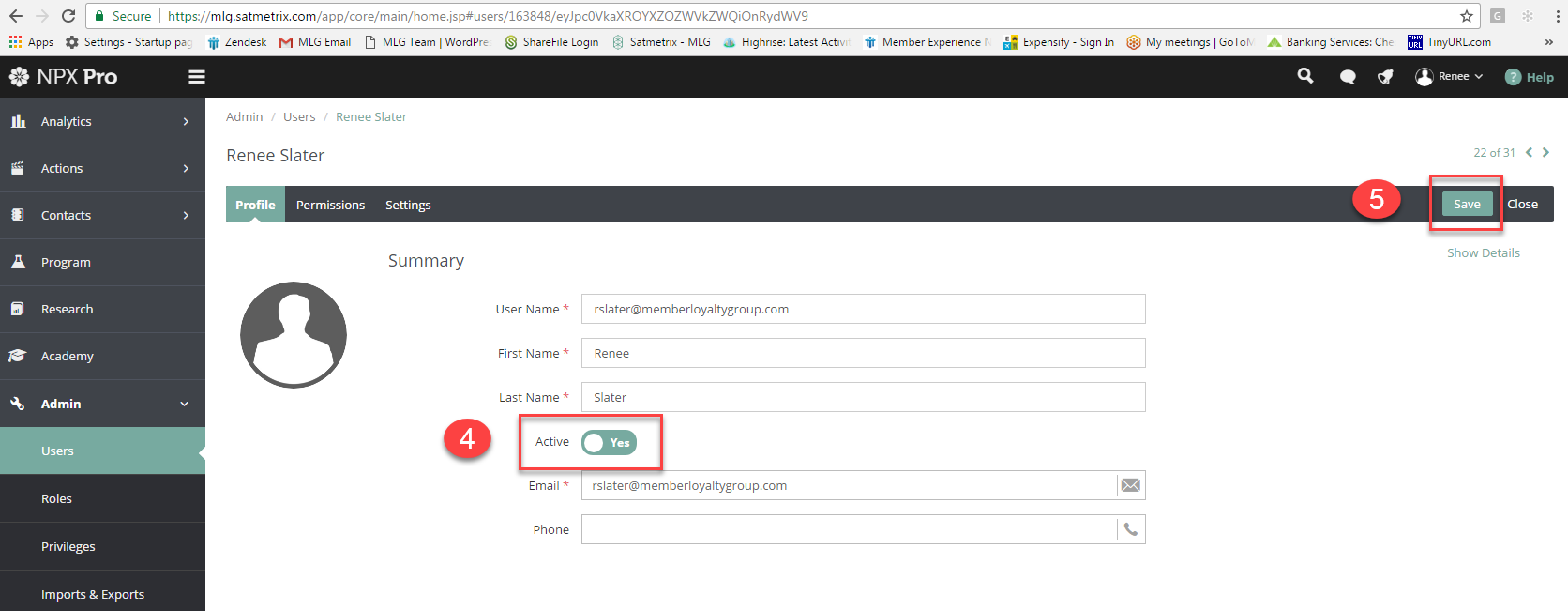
- Find the User to be deactivated, and click to open profile
- Click where it says Active and change the Yes to No
- Click Save

Comments
0 comments
Please sign in to leave a comment.