
We are unable to delete user names from the system. This means if the other user is still employed, and still a user of the system, then the new user will need to be assigned a different email address/user name from the existing user.
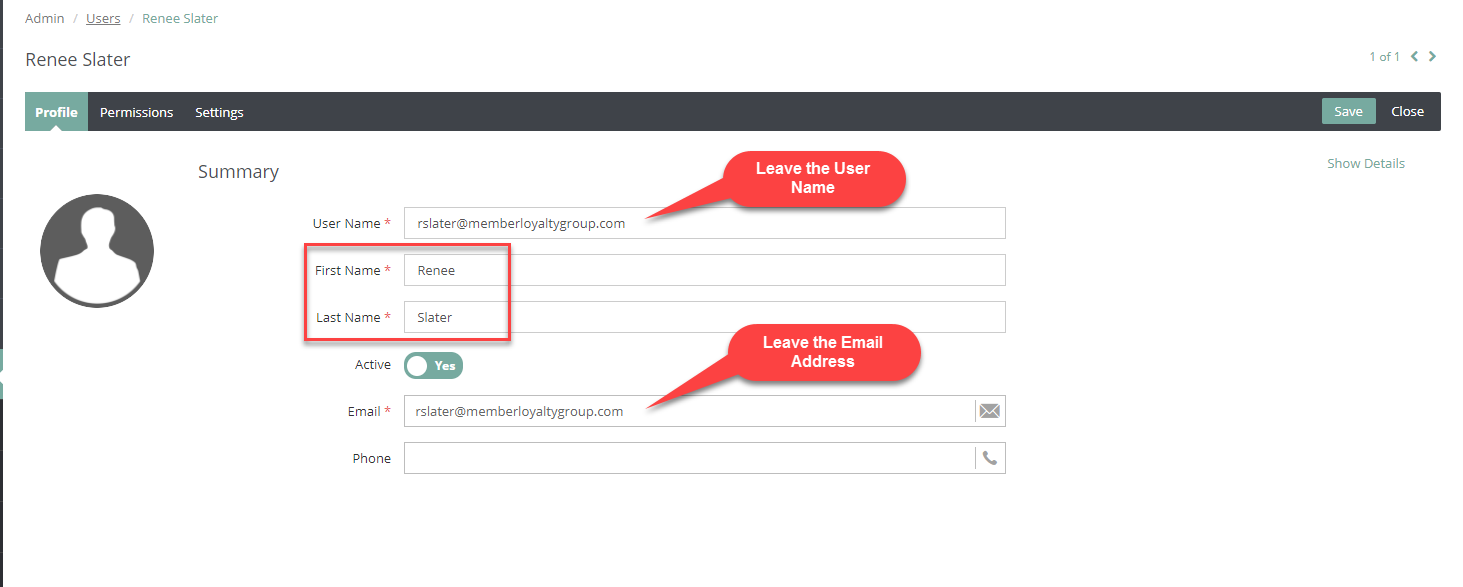
However, if the prior user is no longer a user of the system, or no longer employed, then the new user will keep the same Email Address and User Name and you will simply update the First Name, Last Name, and Role by:
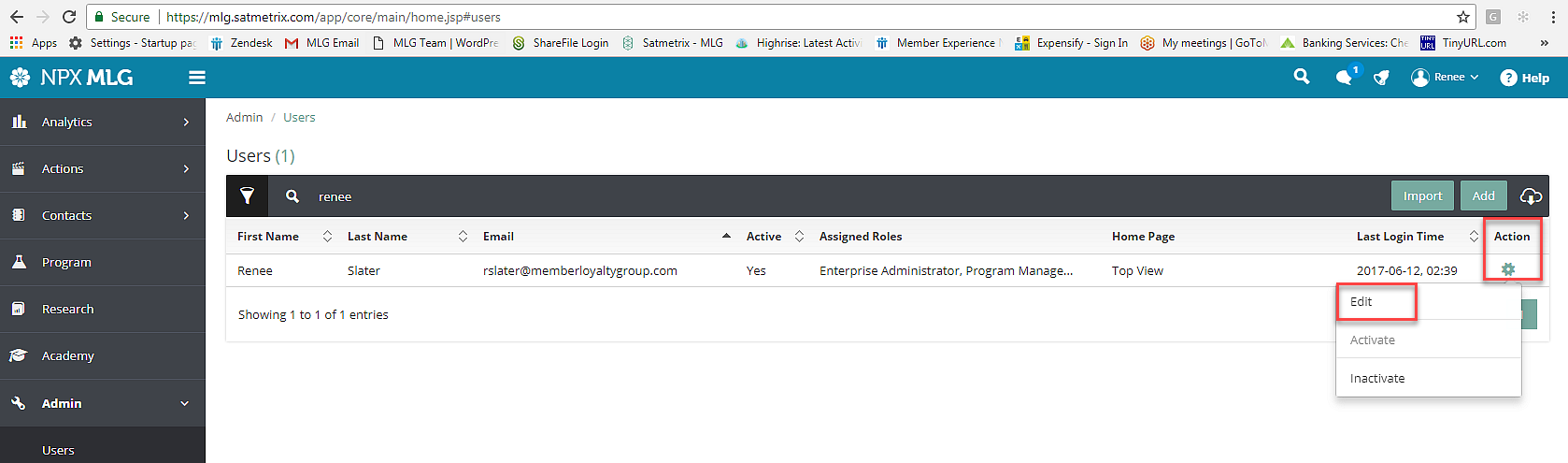
- Clicking on Action then Edit for the prior user
- Change the First Name and Last Name to the current user's First Name and Last Name
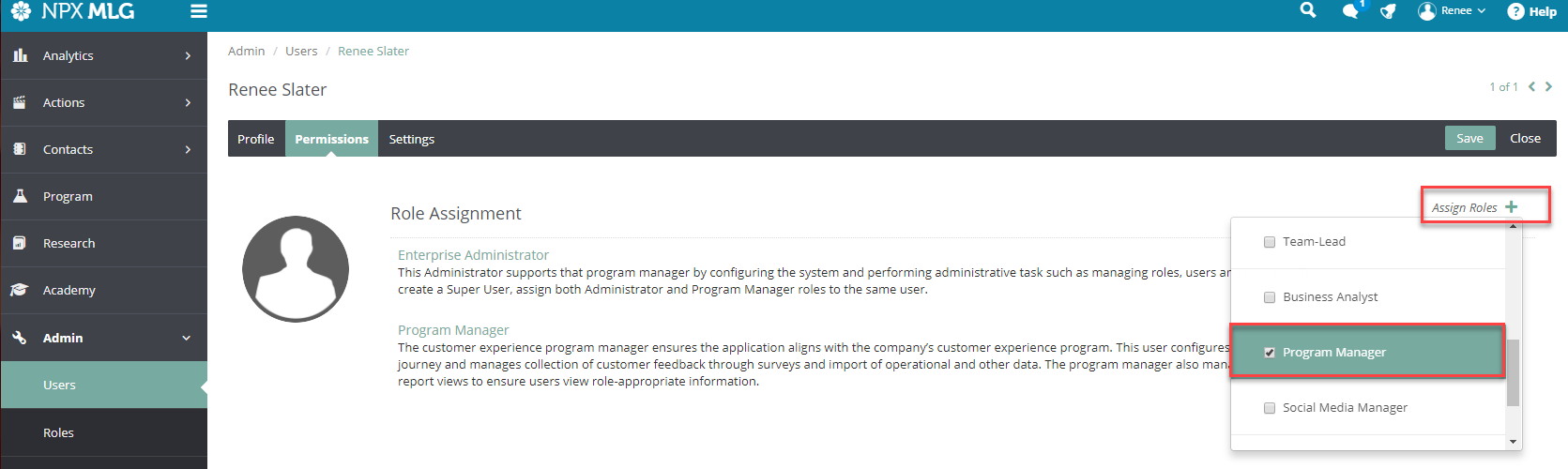
- If needed, update the Role by clicking Assign Roles and unchecking the incorrect role and checking the correct role.
(See next three screenshots for these steps)
If their Data Access/Permissions need to be updated you will click here and follow these instructions to change their branch, user or other data access.
Comments
0 comments
Please sign in to leave a comment.