
If you are unable to log into the Satmetrix report site, try the following:
- Check to be sure you're using the right URL. Most of the time, your credit union's report site login will be: YourWebDomain@satmetrix.com.
YourWebDomain is the first part of your credit union's website. For example, if your credit union's website is www.ecu.com, your Satmetrix Report Site URL would be: ecu.satmetrix.com. - Also, if there are any characters after .satmetrix.com in the URL that you are using, delete these and try logging in again.
- Check to be sure you're using the correct username. Most of the time, your username is your credit union email address.
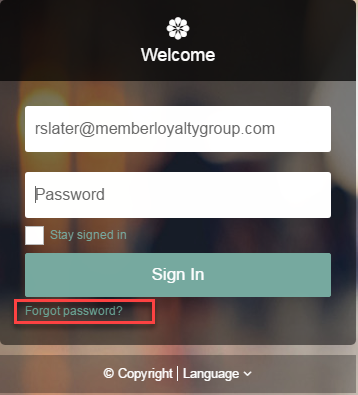
- If you see the following message, Invalid login, please try again, click the Forgot password? link under the Sign In button.
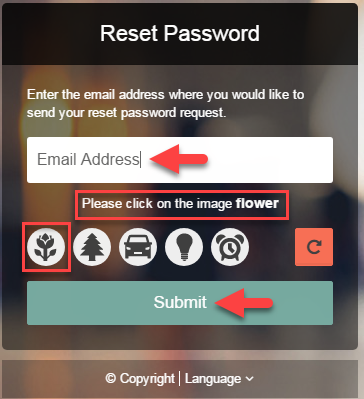
- Enter your email address and answer the security question. Then click Submit.
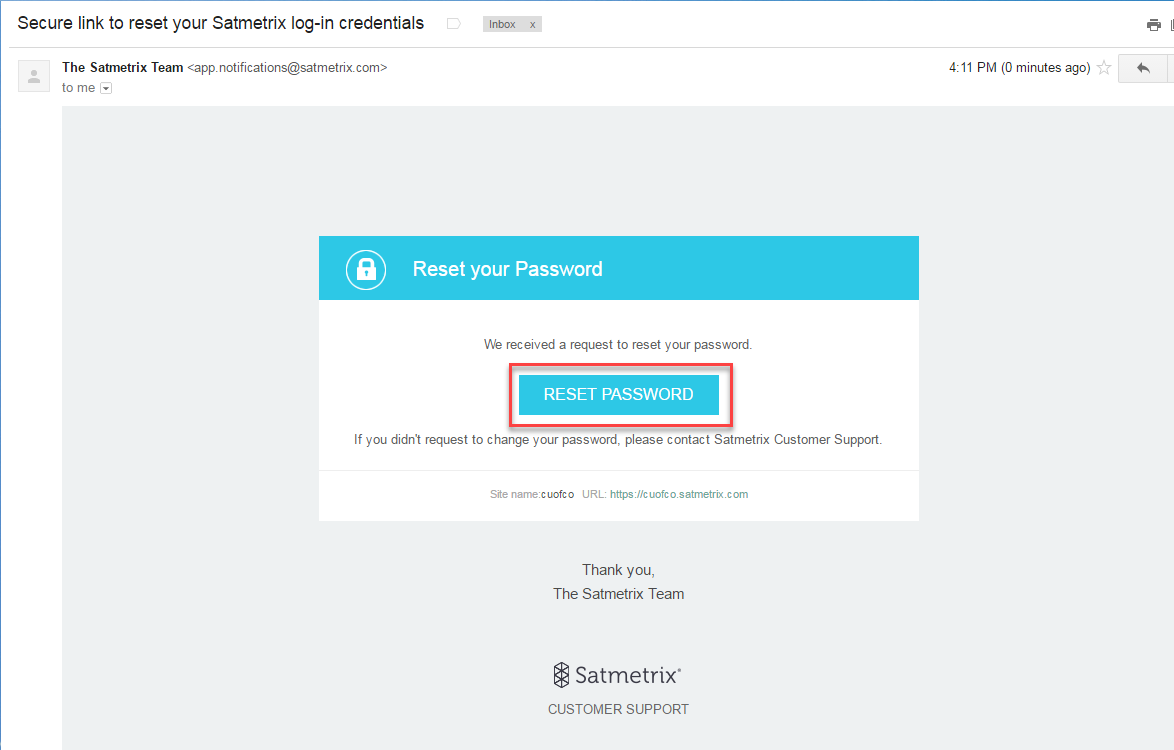
- You should receive an email within an hour, which will allow you to reset your password.
- If you see the message, Invalid information. Please try again, your user account may not be active.
Please reach out to your credit union's program manager to request a login, or to check your User settings.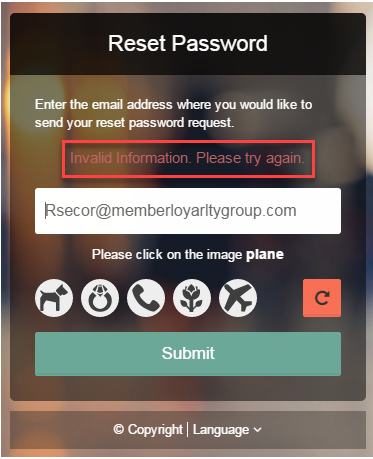
Comments
0 comments
Please sign in to leave a comment.