
If you forgot your password, don't worry. It's easy to reset.
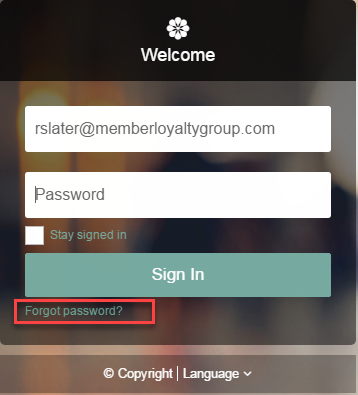
- Go to the login screen of your Satmetrix report site.
- Click Forgot Password?
- The system will prompt you to enter your email address.
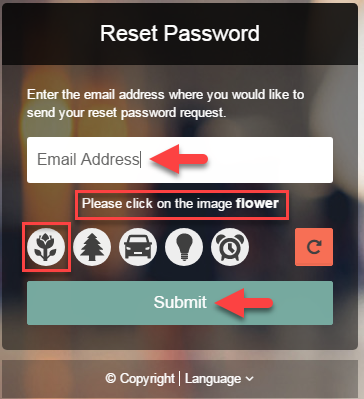
- Enter your credit union email address.
- Click on the image described.
- Click Submit
- You should receive an email from The Satmetrix Team shortly with a link to reset your password.
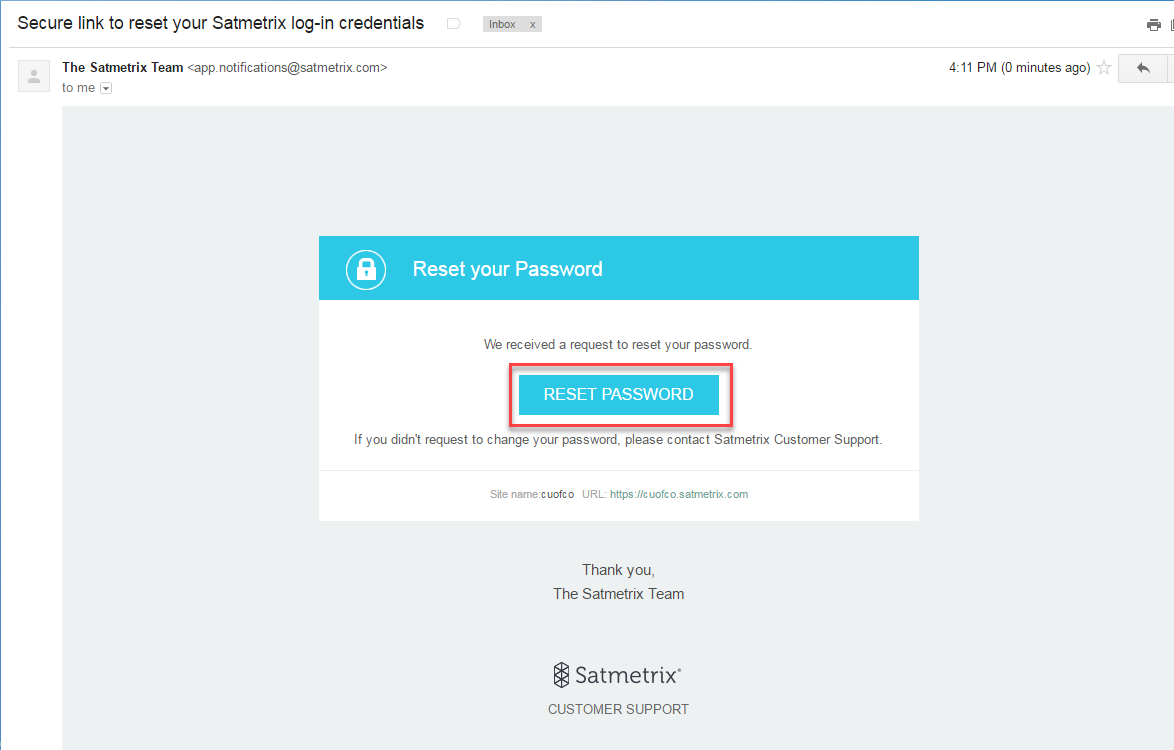
- Click the Reset Password box in the email and follow the onscreen instructions.
- If you have any trouble in this process, please contact the MLG Support Team.
Comments
0 comments
Please sign in to leave a comment.