
Sometimes when creating dashboards, we have several charts on one dashboard. However, this causes us to have to scroll down the page to see all charts. One dashboard will hold up to 10 charts. Many times we may want to look at two charts side by side for comparison purposes.
NPXPro offers different layout options to accommodate this.
You may have a dashboard that looks like what is shown below, but you may want to change the layout of this dashboard to put these charts side by side.
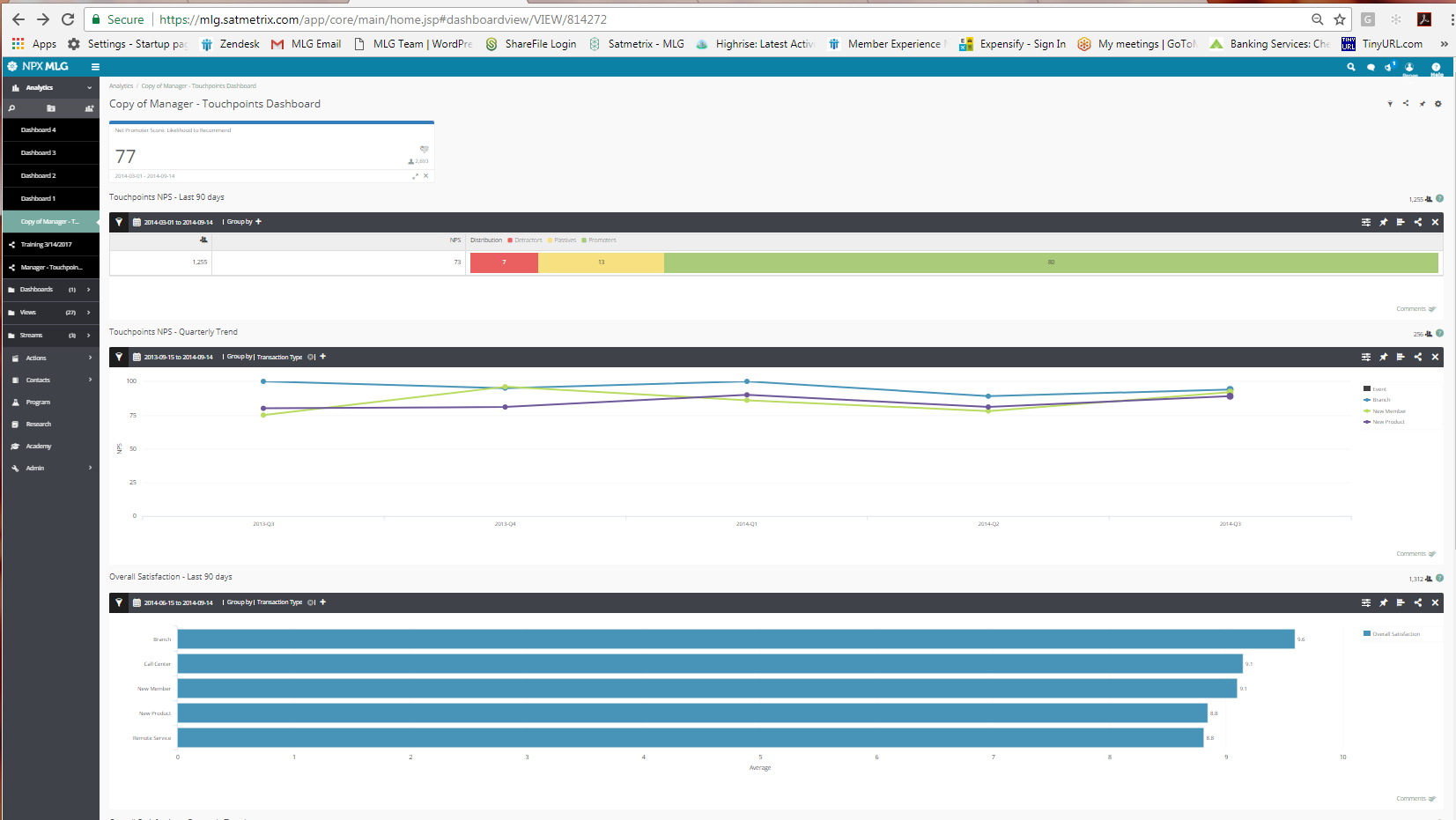
To do this:
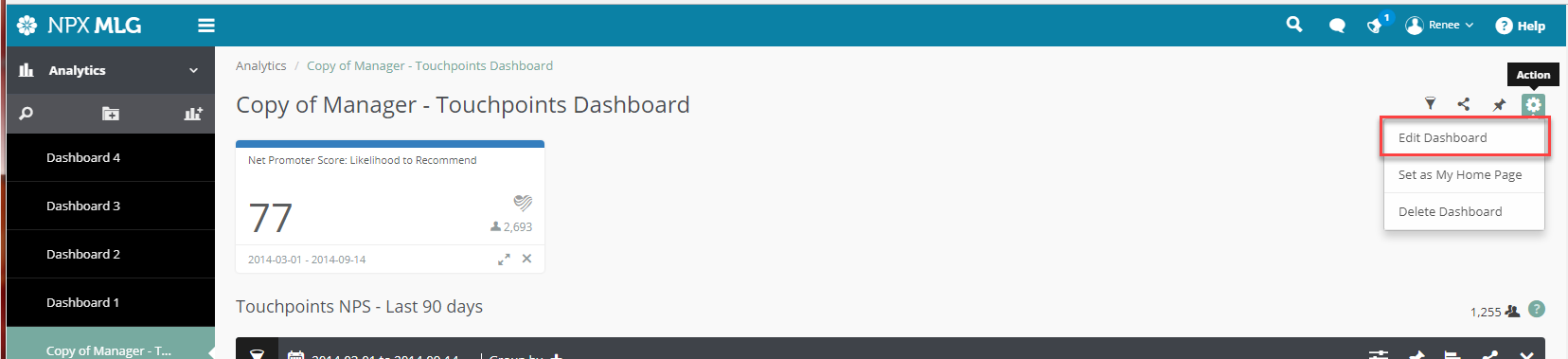
- If the dashboard is already created, please click the gear icon in the upper right corner and select Edit Dashboard.
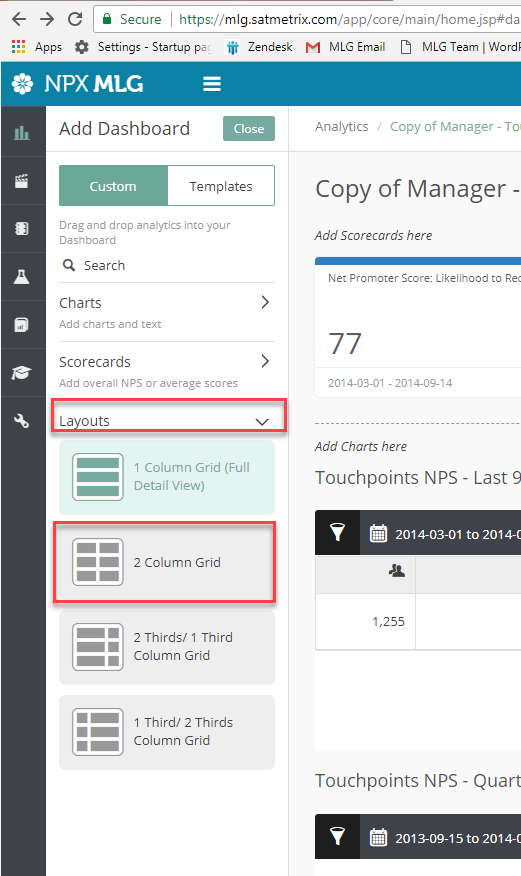
- Once Edit Dashboard is clicked then select Layouts from the menu on the left and select the layout you want to use.
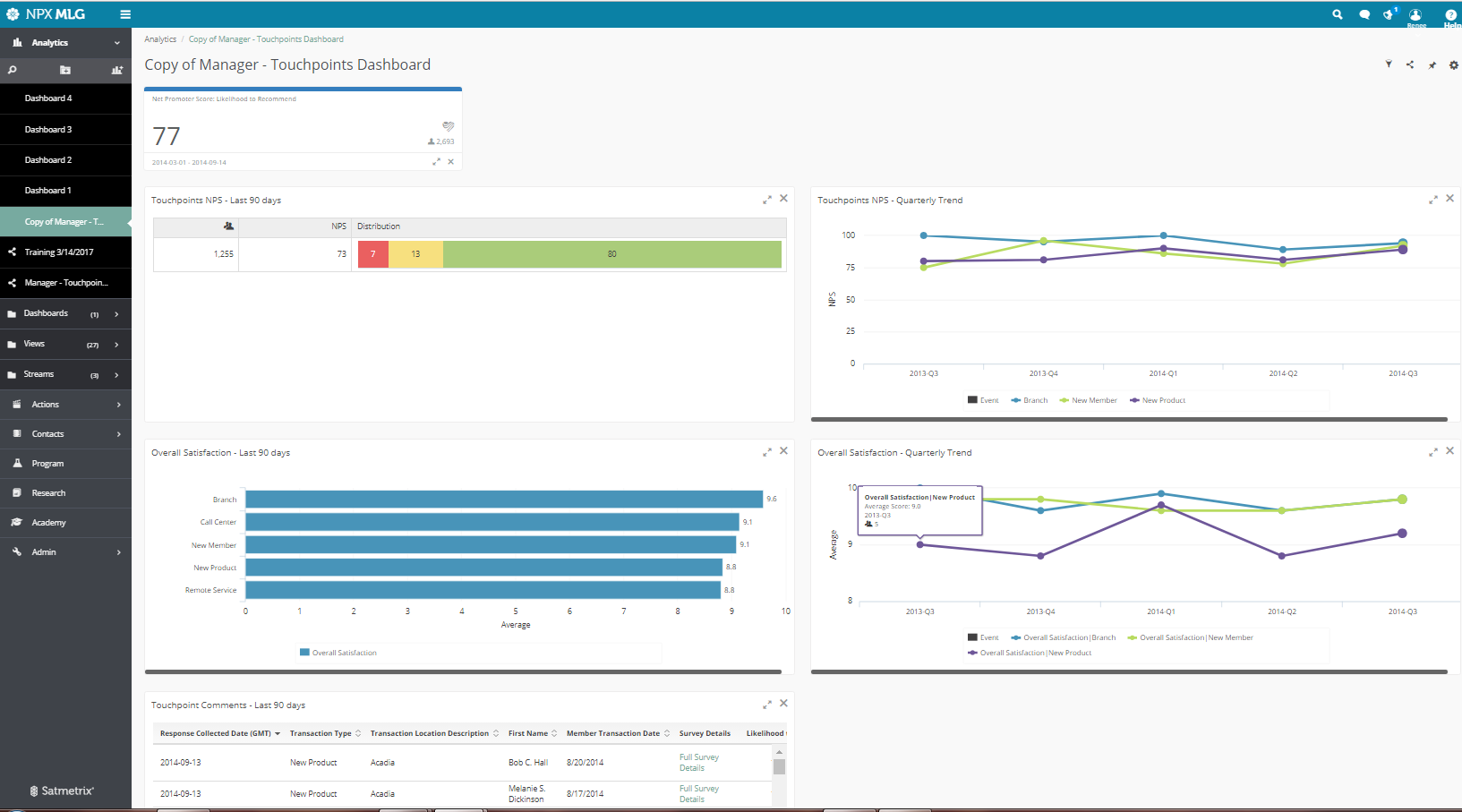
- Finally you will have your dashboard in the layout selected. We selected the Two Columns Grid in this example.
Comments
0 comments
Article is closed for comments.