
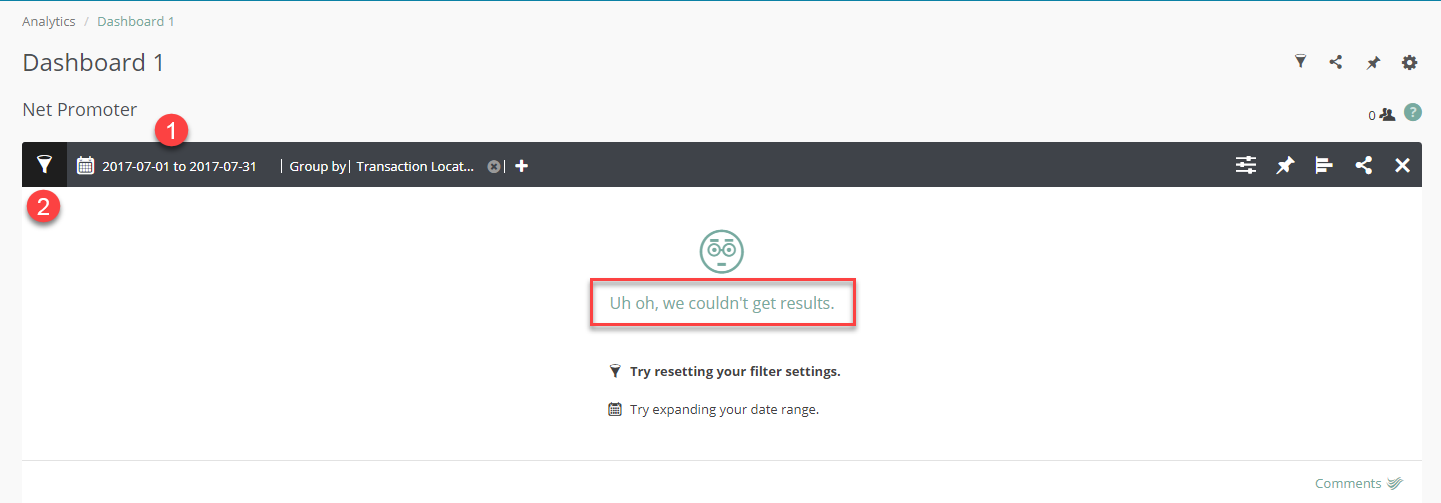
This error message generally means that something is wrong with one of the following:
- Date Range (May not have responses for the selected date range)
- Check Admin > Invitations & Responses > Responses and set the same date range and filters and
see if there are any responses. Invitations & Responses updates immediately
- If there are responses in Invitations & Responses but don't see them in your dashboard then your system probably needs to update. Check it again after your system updates
- Date range may not be broad enough - Filters used are incorrect
- Could have too many filters
- Wrong filters used - Data Access Hierarchy - Wrong question selected
- Could have wrong 'Report on Responses' question chosen. For example if using a NPS chart and you have filtered for a custom survey that uses a custom Likely to Recommend question, make sure you have the correct Likely to Recommend question selected for the survey you are trying to view.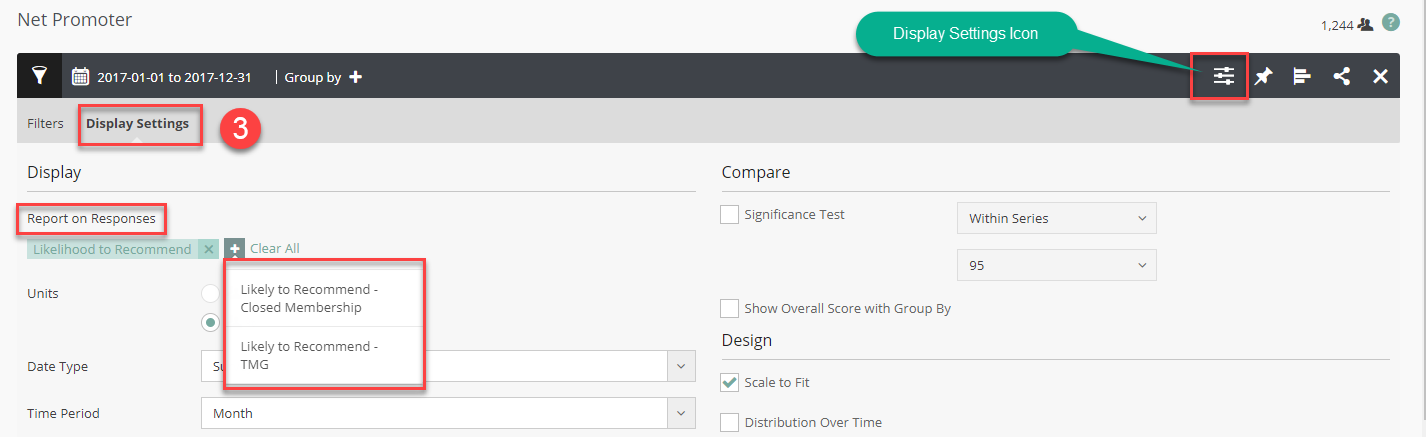
- If you still can resolve this error, please reach out to your credit union's Program Manager or to the MLG Support Team for assistance.
Comments
0 comments
Article is closed for comments.